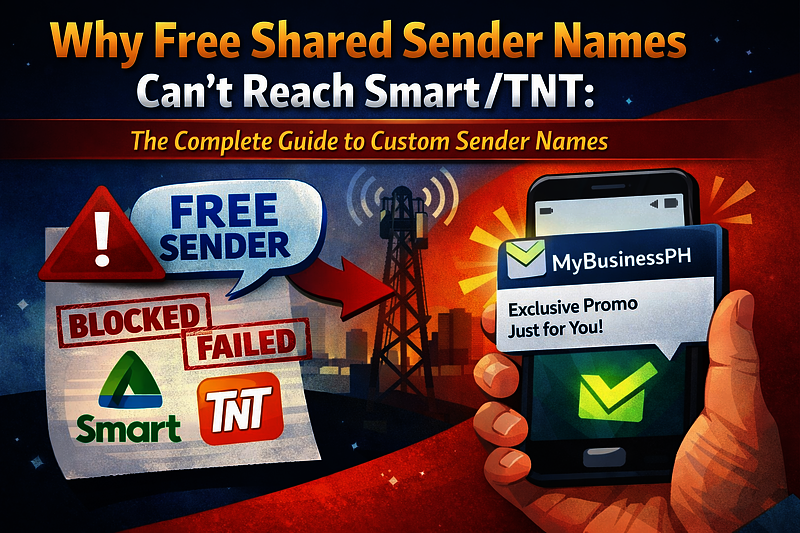
Why Free Shared Sender Names Can't Reach Smart/TNT: The Complete Guide to Custom Sender Names
By: Jayson Presto
Published: February 06, 2026
Learn why free shared sender names work for Globe/TM and DITO but can't send to Smart/TNT networks, and how custom sender names unlock 100% network coverage.
The Problem: Free Shared Sender Names Have Limitations
Did you know that approximately 40% of Philippine mobile users are on Smart/TNT networks? If you're using a free shared sender name, you're missing out on reaching a significant portion of your audience.
What Are Free Shared Sender Names?
Free shared sender names are convenient default options that work immediately when you start using our SMS API. They're perfect for:
- ✅ Globe/TM networks - Full compatibility
- ✅ DITO networks - Full compatibility
- ❌ Smart/TNT networks - Messages are blocked
The Real-World Impact
Imagine these scenarios:
- OTP System: You're sending verification codes, but 40% of your users (Smart/TNT customers) never receive them
- Appointment Reminders: Your clinic sends reminders, but Smart/TNT customers miss their appointments
- Marketing Campaigns: Your promotional messages only reach 60% of your target audience
This isn't just inconvenient—it can directly impact your business operations and customer satisfaction.
Why Smart/TNT Requires Custom Sender Names
Smart/TNT has implemented strict security measures and anti-spam policies that require sender name approval. Unlike Globe/TM and DITO, Smart/TNT networks:
- Require official approval for all sender names
- Verify business legitimacy through documentation
- Protect their network from spam and abuse
- Ensure brand protection and trust
Free shared sender names don't meet these requirements, which is why our system prevents messages to Smart/TNT numbers from being created when you don't have an approved custom sender name.
How Our System Detects Smart/TNT Numbers
Our platform automatically detects Smart/TNT numbers using phone number prefixes. When you attempt to send an SMS to a Smart/TNT number without an approved sender name, the system will:
- Detect the phone number prefix (e.g., 0908, 0911, 0920)
- Identify it as a Smart/TNT number
- Return a validation error preventing the message from being created
Error Message: "Smart/TNT networks do not accept shared sender names. Please get your own sender name approved to support all networks."
You can also use our Network Detection API to check if a phone number belongs to Smart/TNT before sending.
The Solution: Custom Sender Names
Custom sender names are your own branded sender name (up to 11 characters) that's officially approved by Smart/TNT through our platform. Once approved, you can:
- ✅ Reach 100% of Philippine mobile users - Smart/TNT, Globe/TM, and DITO
- ✅ Display your company name as the sender (e.g., "MYCOMPANY")
- ✅ Achieve higher delivery rates across all networks
- ✅ Build customer trust with professional branding
- ✅ Never worry about blocked messages again
How to Get Your Custom Sender Name
Step 1: Prepare Your Requirements
Before applying, make sure you have:
- Company Information: Company name, TIN (Tax Identification Number), billing address
- Letter of Agreement: PDF or image file (less than 5 MB)
- Company Logo: PNG, JPEG, GIF, or WEBP image (less than 5 MB)
- Sample Message: Example of what you'll send
- Purpose: Description of how you'll use the sender name
- Billing Cycle: Choose your subscription period (minimum 3 months)
Step 2: Submit Your Application
- Log in to your IPROG SMS account
- Navigate to the Sender Names page
- Fill out the application form with all required information
- Upload your Letter of Agreement and Company Logo
- Review and submit your application
Step 3: Payment and Processing
After submission:
- Pay the activation fee (₱3,000) using your SMS credits
- Your application enters the approval queue
- Our team reviews your submission (typically 1-2 business days)
- If approved, we submit to Smart/TNT for final approval (15-20 business days)
- You receive notification once approved
Step 4: Start Sending
Once approved, your custom sender name is automatically used for all SMS messages sent through our API. No code changes needed!
Pricing Breakdown
Our custom sender name pricing is transparent and cost-effective:
- Activation Fee: ₱3,000 (includes first 3 months of subscription)
- Monthly Fee: ₱800/month (after the initial 3 months)
- Minimum Commitment: 3 months (included in activation fee)
Example: If you choose a 6-month billing cycle:
- Activation fee: ₱3,000 (covers months 1-3)
- Additional months: 3 months × ₱800 = ₱2,400
- Total: ₱5,400 for 6 months
Using Your Custom Sender Name
Once your custom sender name is approved, it works automatically with our API. No additional configuration needed!
API Integration
Your approved sender name is automatically used when sending SMS through our API. Simply use your existing API calls:
Example API Request:
POST /api/v1/sms_messages
{
  "api_token": "your_api_token",
  "phone_number": "09123456789",
  "message": "Your message here"
}
If the recipient is a Smart/TNT number and you have an approved sender name, the message will be sent successfully with your custom sender name displayed.
Best Practices
- Use consistently: Always use your approved sender name for brand recognition
- Keep messages professional: Maintain your brand reputation
- Monitor delivery rates: Track your SMS delivery success
- Renew on time: Ensure your subscription doesn't expire
When Do You Need a Custom Sender Name?
You Need One If:
- ✅ You send SMS to Smart/TNT numbers regularly
- ✅ You want professional branding (your company name as sender)
- ✅ You need higher delivery rates across all networks
- ✅ You're building a production application
- ✅ You want to reach 100% of Philippine mobile users
Free Shared Name is Fine If:
- ✅ You only send to Globe/TM and DITO networks
- ✅ You're testing or developing
- ✅ You send very infrequently
- ✅ You don't need branded sender names
Frequently Asked Questions
How long does approval take?
Typically 15-20 business days after we submit to Smart/TNT. Our internal review takes 1-2 business days.
Can I change my sender name?
You'll need to submit a new application for a different sender name. Each sender name requires separate approval.
What if my application is rejected?
If rejected before processing, you'll receive a full refund. If rejected after processing reaches Smart/TNT, you'll receive an 80% refund (20% processing fee retained).
Do I need separate sender names for different purposes?
No, one approved sender name can be used for all your SMS purposes (OTP, reminders, marketing, etc.).
Can I use my custom sender name immediately after approval?
Yes! Once approved, your sender name is automatically active and will be used for all SMS messages sent through our API.
What happens if my subscription expires?
You'll need to renew your subscription before expiration to continue using your custom sender name. If your subscription expires, you'll receive validation errors when attempting to send to Smart/TNT numbers, just like users without approved sender names.
Conclusion
Free shared sender names are great for getting started with Globe/TM and DITO networks, but they can't reach Smart/TNT—which represents about 40% of the Philippine mobile market. Custom sender names unlock complete network coverage, professional branding, and higher delivery rates.
If you're serious about SMS communication in the Philippines, a custom sender name is essential for reaching all your customers.
Have questions? Check out our API Documentation or contact our support team for assistance.
Related Posts
Related SMS Solution Pages
Explore deeper implementation and buying-intent pages before launching your SMS workflow.
SMS API Philippines
SMS API Philippines - practical SMS guidance for Philippines with implementation and pricing next steps.
Open solutionBulk SMS Philippines
Bulk SMS Philippines - practical SMS guidance for Philippines with implementation and pricing next steps.
Open solution