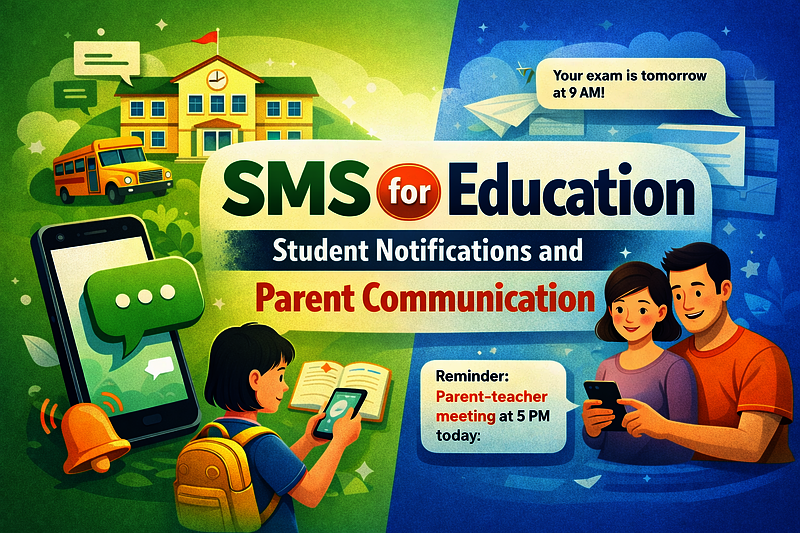
SMS for Education: Student Notifications and Parent Communication
By: Jayson Presto
Published: February 06, 2026
Discover how schools and educational institutions can use SMS to improve communication with students and parents. Learn about school alerts, exam reminders, attendance notifications, and parent updates.
SMS for Education: Student Notifications and Parent Communication
In today's fast-paced educational environment, effective communication between schools, students, and parents is more critical than ever. With SMS messaging, educational institutions can instantly reach students and parents with important information, reminders, and updates. This comprehensive guide explores how SMS can transform school communication and improve engagement.
Why SMS for Education?
SMS messaging offers unique advantages for educational institutions:
- 98% Open Rate: SMS messages are read within 3 minutes, ensuring critical information reaches recipients immediately
- Universal Access: Works on all mobile phones, even basic feature phones, without requiring internet or apps
- Instant Delivery: Messages are delivered within seconds, perfect for urgent alerts and time-sensitive information
- High Engagement: Parents and students are more likely to read and act on SMS messages compared to emails
- Cost-Effective: At ₱1 per SMS, it's an affordable solution for schools of all sizes
- Reliable: Unlike emails that may end up in spam folders, SMS messages are delivered directly to recipients' phones
Key Use Cases for SMS in Education
1. School Alerts and Emergency Notifications
School alerts are critical for keeping students and parents informed about important events, emergencies, and schedule changes. SMS is the perfect channel for urgent communications that require immediate attention.
Types of School Alerts:
- Emergency Closures: Weather-related closures, natural disasters, or other emergencies
- Schedule Changes: Early dismissals, delayed starts, or modified schedules
- Security Alerts: Safety notifications, lockdown procedures, or security updates
- Event Reminders: Parent-teacher conferences, school assemblies, or special events
- Facility Updates: Building maintenance, construction, or facility closures
Example Messages:
URGENT: School will be closed tomorrow (Feb 15) due to inclement weather. All classes cancelled. Stay safe!

REMINDER: Parent-Teacher Conference scheduled for tomorrow, 2:00 PM. Please confirm your attendance.

ALERT: Early dismissal today at 1:00 PM due to scheduled maintenance. Please arrange pickup accordingly.
Implementation Example (Ruby):
require 'net/http'
require 'uri'
require 'json'

def send_school_alert(phone_numbers, alert_type, message)
  # Send urgent school alert to multiple recipients
  uri = URI('https://iprogsms.com/api/v1/sms_messages/send_bulk')

  # Convert array to comma-separated string
  phone_numbers_str = phone_numbers.join(',')

  # Format message with alert prefix
  formatted_message = "ALERT: #{message}"

  http = Net::HTTP.new(uri.host, uri.port)
  http.use_ssl = true

  request = Net::HTTP::Post.new(uri.path, { 'Content-Type' => 'application/json' })
  request.body = {
    api_token: ENV['IPROG_SMS_API_TOKEN'],
    phone_number: phone_numbers_str,
    message: formatted_message
  }.to_json

  response = http.request(request)
  JSON.parse(response.body)
end

# Usage
recipients = [
  '639171234567',  # Parent 1
  '639171234568',  # Parent 2
  '639171234569'   # Parent 3
]

send_school_alert(
  recipients,
  'emergency_closure',
  'School will be closed tomorrow due to weather conditions. All classes cancelled.'
)
2. Exam Reminders and Academic Notifications
Exam reminders help students stay organized and prepared. SMS notifications can significantly reduce missed exams and improve student performance by providing timely reminders.
Types of Exam Reminders:
- Upcoming Exams: Reminders sent days or hours before exams
- Exam Schedule Changes: Notifications about rescheduled or cancelled exams
- Study Reminders: Encouragement messages before important tests
- Results Notifications: Alerts when grades or results are available
- Make-up Exam Alerts: Notifications for students who missed exams
Example Messages:
REMINDER: Math Final Exam tomorrow at 9:00 AM in Room 205. Bring calculator and ID.

Your exam results are now available. Check the student portal or contact your teacher.

IMPORTANT: Science exam rescheduled to Friday, 2:00 PM. Please update your calendar.
Implementation Example (Ruby with Scheduled Reminders):
require 'net/http'
require 'uri'
require 'json'
require 'time'

def schedule_exam_reminder(student_phone, exam_name, exam_date, exam_time, location)
  # Schedule exam reminder using IPROG SMS Reminder API
  uri = URI('https://iprogsms.com/api/v1/message-reminders')

  # Calculate reminder time (24 hours before exam)
  reminder_time = exam_date - (24 * 60 * 60)  # Subtract 24 hours in seconds

  message = "REMINDER: #{exam_name} tomorrow at #{exam_time} in #{location}. Bring required materials."

  http = Net::HTTP.new(uri.host, uri.port)
  http.use_ssl = true

  request = Net::HTTP::Post.new(uri.path, { 'Content-Type' => 'application/json' })
  request.body = {
    api_token: ENV['IPROG_SMS_API_TOKEN'],
    phone_number: student_phone,
    message: message,
    scheduled_at: reminder_time.strftime('%Y-%m-%dT%H:%M')
  }.to_json

  response = http.request(request)
  JSON.parse(response.body)
end

# Usage
exam_date = Time.new(2024, 3, 15, 9, 0)  # March 15, 2024 at 9:00 AM
schedule_exam_reminder(
  '639171234567',
  'Math Final Exam',
  exam_date,
  '9:00 AM',
  'Room 205'
)
3. Attendance Notifications
Attendance notifications help parents stay informed about their child's school attendance in real-time. This proactive communication can help identify attendance issues early and improve student attendance rates.
Types of Attendance Notifications:
- Absence Alerts: Immediate notifications when a student is marked absent
- Tardy Notifications: Alerts when students arrive late to class
- Attendance Reports: Weekly or monthly attendance summaries
- Perfect Attendance Recognition: Positive reinforcement messages
- Attendance Warnings: Alerts when attendance drops below threshold
Example Messages:
NOTICE: Your child was marked absent today (Feb 14) during 1st period. Please contact the school if this is an error.

ATTENDANCE: Your child has been late 3 times this week. Please ensure timely arrival.

GREAT NEWS: Your child has perfect attendance this month! Keep up the excellent work!
Implementation Example (Ruby):
require 'net/http'
require 'uri'
require 'json'

def send_absence_alert(parent_phone, student_name, date, period, reason = nil)
  # Send absence notification to parent
  uri = URI('https://iprogsms.com/api/v1/sms_messages')

  if reason
    message = "NOTICE: #{student_name} was marked absent on #{date} during #{period}. Reason: #{reason}. Please contact the school if this is an error."
  else
    message = "NOTICE: #{student_name} was marked absent on #{date} during #{period}. Please contact the school if this is an error."
  end

  http = Net::HTTP.new(uri.host, uri.port)
  http.use_ssl = true

  request = Net::HTTP::Post.new(uri.path, { 'Content-Type' => 'application/json' })
  request.body = {
    api_token: ENV['IPROG_SMS_API_TOKEN'],
    phone_number: parent_phone,
    message: message
  }.to_json

  response = http.request(request)
  JSON.parse(response.body)
end

# Usage
send_absence_alert(
  '639171234567',
  'Juan Dela Cruz',
  'February 14, 2024',
  '1st Period - Mathematics',
  'Unexcused'
)
4. Parent Updates and Communication
Regular parent updates help maintain strong school-home partnerships. SMS provides a convenient way to keep parents informed about their child's academic progress, school events, and important announcements.
Types of Parent Updates:
- Academic Progress: Grade updates, report card notifications, academic achievements
- Behavioral Updates: Positive behavior recognition or concerns
- Event Invitations: School events, parent meetings, volunteer opportunities
- Payment Reminders: Tuition, fees, or other payment notifications
- Permission Slips: Reminders for field trips or special activities
- Homework Reminders: Daily or weekly homework assignments
- School News: General announcements and school updates
Example Messages:
UPDATE: Juan's Math grade improved to 92% this quarter. Great progress! Keep encouraging him.

REMINDER: Parent-Teacher Conference tomorrow at 3:00 PM. Looking forward to discussing Juan's progress.

EVENT: School Science Fair next Friday. Students are encouraged to participate. Registration closes Wednesday.
Best Practices for SMS in Education
1. Timing Matters
Send messages at appropriate times to maximize engagement:
- School Alerts: Send immediately when urgent information is available
- Reminders: Send 24-48 hours before events or deadlines
- Daily Updates: Send during non-instructional hours (before 8 AM or after 3 PM)
- Avoid Late Night: Don't send messages after 8 PM unless it's an emergency
2. Keep Messages Concise
SMS messages have a 160-character limit for single messages. Keep your messages:
- Clear and Direct: Get to the point quickly
- Action-Oriented: Include what action is needed
- Scannable: Use keywords and formatting for easy reading
3. Personalization
Personalize messages when possible:
- Use student or parent names
- Reference specific classes, dates, or events
- Include relevant details (room numbers, times, etc.)
4. Collect Phone Numbers
Maintain accurate contact information for effective communication:
- Collect phone numbers during enrollment or registration
- Keep contact information up-to-date and verified
- Store phone numbers securely in your student information system
- Regularly verify and update contact information
5. Segment Your Audience
Send relevant messages to the right groups:
- Separate lists for parents and students
- Grade-level or class-specific groups
- Emergency contacts for urgent alerts
- Volunteer groups for event coordination
6. Track and Measure
Monitor your SMS campaigns to improve effectiveness:
- Track delivery rates and message status
- Monitor engagement and response rates
- Collect feedback from parents and students
- Adjust messaging based on what works best
Implementation Strategies
1. Integration with Student Information Systems (SIS)
Integrate SMS with your existing student information system to automate notifications:
- Automatic absence alerts when attendance is marked
- Grade notifications when new grades are entered
- Schedule reminders synced with school calendar
- Payment reminders based on billing system
2. Automated Workflows
Set up automated workflows for common scenarios:
- Daily Attendance: Automatically send absence alerts at end of day
- Weekly Reports: Send attendance summaries every Friday
- Exam Reminders: Schedule reminders 24 hours before exams
- Event Notifications: Send reminders for upcoming school events
3. Two-Way Communication
While IPROG SMS focuses on outbound messaging, you can encourage responses:
- Include contact information in messages for questions
- Provide phone numbers or email for follow-up
- Use clear call-to-action phrases
Cost Considerations
SMS messaging is cost-effective for educational institutions:
- Per Message Cost: ₱1.00 per SMS in the Philippines
- Bulk Discounts: Consider purchasing SMS credits in bulk for better value
- Budget Planning: Estimate monthly costs based on message volume
Cost Calculation Example:
For a school with 500 students:
- Daily attendance alerts: 50 absences/day × ₱1 = ₱50/day
- Weekly exam reminders: 200 reminders/week × ₱1 = ₱200/week
- Monthly parent updates: 500 updates/month × ₱1 = ₱500/month
- Estimated Monthly Cost: ₱2,200 - ₱3,000/month
Privacy and Security
Protecting student and parent information is crucial:
- Data Protection: Ensure phone numbers are stored securely
- Access Control: Limit who can send messages
- Audit Logs: Keep records of all messages sent
- Compliance: Follow data privacy regulations (Philippine Data Privacy Act)
- Contact Management: Maintain accurate and up-to-date contact information
Real-World Success Stories
Case Study 1: Improved Attendance Rates
A high school implemented automated absence alerts to parents. Within three months:
- Attendance rates improved by 15%
- Parent engagement increased significantly
- Early intervention for attendance issues became possible
Case Study 2: Reduced Missed Exams
A university started sending exam reminders 24 hours before scheduled exams:
- Missed exam rate decreased by 40%
- Student satisfaction with communication improved
- Administrative workload for rescheduling decreased
Getting Started
Ready to implement SMS communication in your educational institution? Here's how to get started:
- Sign Up: Create an IPROG SMS account at iprogsms.com
- Get Your API Token: Find your API token in your account dashboard
- Collect Contact Information: Gather phone numbers from parents and students during enrollment
- Plan Your Messages: Determine what types of messages you'll send and when
- Integrate: Use our API to integrate SMS into your existing systems
- Test: Start with a small group to test your messaging workflows
- Scale: Expand to all students and parents once everything is working smoothly
Conclusion
SMS messaging is a powerful tool for improving communication in educational institutions. By implementing school alerts, exam reminders, attendance notifications, and parent updates, schools can:
- Improve student attendance and engagement
- Strengthen school-home partnerships
- Reduce administrative workload
- Ensure critical information reaches recipients immediately
- Enhance overall communication effectiveness
With IPROG SMS, implementing SMS communication is straightforward and cost-effective. Our API makes it easy to integrate SMS into your existing systems and automate routine communications.
Ready to transform your school's communication? Visit our API Documentation to get started, or check out our Developer Guide for detailed integration instructions.
Have questions? Contact our support team for assistance with your educational SMS implementation.
School alerts are critical for keeping students and parents informed about important events, emergencies, and schedule changes. SMS is the perfect channel for urgent communications that require immediate attention.
Types of School Alerts:
- Emergency Closures: Weather-related closures, natural disasters, or other emergencies
- Schedule Changes: Early dismissals, delayed starts, or modified schedules
- Security Alerts: Safety notifications, lockdown procedures, or security updates
- Event Reminders: Parent-teacher conferences, school assemblies, or special events
- Facility Updates: Building maintenance, construction, or facility closures
Example Messages:
URGENT: School will be closed tomorrow (Feb 15) due to inclement weather. All classes cancelled. Stay safe!

REMINDER: Parent-Teacher Conference scheduled for tomorrow, 2:00 PM. Please confirm your attendance.

ALERT: Early dismissal today at 1:00 PM due to scheduled maintenance. Please arrange pickup accordingly.
Implementation Example (Ruby):
require 'net/http'
require 'uri'
require 'json'

def send_school_alert(phone_numbers, alert_type, message)
  # Send urgent school alert to multiple recipients
  uri = URI('https://iprogsms.com/api/v1/sms_messages/send_bulk')

  # Convert array to comma-separated string
  phone_numbers_str = phone_numbers.join(',')

  # Format message with alert prefix
  formatted_message = "ALERT: #{message}"

  http = Net::HTTP.new(uri.host, uri.port)
  http.use_ssl = true

  request = Net::HTTP::Post.new(uri.path, { 'Content-Type' => 'application/json' })
  request.body = {
    api_token: ENV['IPROG_SMS_API_TOKEN'],
    phone_number: phone_numbers_str,
    message: formatted_message
  }.to_json

  response = http.request(request)
  JSON.parse(response.body)
end

# Usage
recipients = [
  '639171234567',  # Parent 1
  '639171234568',  # Parent 2
  '639171234569'   # Parent 3
]

send_school_alert(
  recipients,
  'emergency_closure',
  'School will be closed tomorrow due to weather conditions. All classes cancelled.'
)
2. Exam Reminders and Academic Notifications
Exam reminders help students stay organized and prepared. SMS notifications can significantly reduce missed exams and improve student performance by providing timely reminders.
Types of Exam Reminders:
- Upcoming Exams: Reminders sent days or hours before exams
- Exam Schedule Changes: Notifications about rescheduled or cancelled exams
- Study Reminders: Encouragement messages before important tests
- Results Notifications: Alerts when grades or results are available
- Make-up Exam Alerts: Notifications for students who missed exams
Example Messages:
REMINDER: Math Final Exam tomorrow at 9:00 AM in Room 205. Bring calculator and ID.

Your exam results are now available. Check the student portal or contact your teacher.

IMPORTANT: Science exam rescheduled to Friday, 2:00 PM. Please update your calendar.
Implementation Example (Ruby with Scheduled Reminders):
require 'net/http'
require 'uri'
require 'json'
require 'time'

def schedule_exam_reminder(student_phone, exam_name, exam_date, exam_time, location)
  # Schedule exam reminder using IPROG SMS Reminder API
  uri = URI('https://iprogsms.com/api/v1/message-reminders')

  # Calculate reminder time (24 hours before exam)
  reminder_time = exam_date - (24 * 60 * 60)  # Subtract 24 hours in seconds

  message = "REMINDER: #{exam_name} tomorrow at #{exam_time} in #{location}. Bring required materials."

  http = Net::HTTP.new(uri.host, uri.port)
  http.use_ssl = true

  request = Net::HTTP::Post.new(uri.path, { 'Content-Type' => 'application/json' })
  request.body = {
    api_token: ENV['IPROG_SMS_API_TOKEN'],
    phone_number: student_phone,
    message: message,
    scheduled_at: reminder_time.strftime('%Y-%m-%dT%H:%M')
  }.to_json

  response = http.request(request)
  JSON.parse(response.body)
end

# Usage
exam_date = Time.new(2024, 3, 15, 9, 0)  # March 15, 2024 at 9:00 AM
schedule_exam_reminder(
  '639171234567',
  'Math Final Exam',
  exam_date,
  '9:00 AM',
  'Room 205'
)
3. Attendance Notifications
Attendance notifications help parents stay informed about their child's school attendance in real-time. This proactive communication can help identify attendance issues early and improve student attendance rates.
Types of Attendance Notifications:
- Absence Alerts: Immediate notifications when a student is marked absent
- Tardy Notifications: Alerts when students arrive late to class
- Attendance Reports: Weekly or monthly attendance summaries
- Perfect Attendance Recognition: Positive reinforcement messages
- Attendance Warnings: Alerts when attendance drops below threshold
Example Messages:
NOTICE: Your child was marked absent today (Feb 14) during 1st period. Please contact the school if this is an error.

ATTENDANCE: Your child has been late 3 times this week. Please ensure timely arrival.

GREAT NEWS: Your child has perfect attendance this month! Keep up the excellent work!
Implementation Example (Ruby):
require 'net/http'
require 'uri'
require 'json'

def send_absence_alert(parent_phone, student_name, date, period, reason = nil)
  # Send absence notification to parent
  uri = URI('https://iprogsms.com/api/v1/sms_messages')

  if reason
    message = "NOTICE: #{student_name} was marked absent on #{date} during #{period}. Reason: #{reason}. Please contact the school if this is an error."
  else
    message = "NOTICE: #{student_name} was marked absent on #{date} during #{period}. Please contact the school if this is an error."
  end

  http = Net::HTTP.new(uri.host, uri.port)
  http.use_ssl = true

  request = Net::HTTP::Post.new(uri.path, { 'Content-Type' => 'application/json' })
  request.body = {
    api_token: ENV['IPROG_SMS_API_TOKEN'],
    phone_number: parent_phone,
    message: message
  }.to_json

  response = http.request(request)
  JSON.parse(response.body)
end

# Usage
send_absence_alert(
  '639171234567',
  'Juan Dela Cruz',
  'February 14, 2024',
  '1st Period - Mathematics',
  'Unexcused'
)
4. Parent Updates and Communication
Regular parent updates help maintain strong school-home partnerships. SMS provides a convenient way to keep parents informed about their child's academic progress, school events, and important announcements.
Types of Parent Updates:
- Academic Progress: Grade updates, report card notifications, academic achievements
- Behavioral Updates: Positive behavior recognition or concerns
- Event Invitations: School events, parent meetings, volunteer opportunities
- Payment Reminders: Tuition, fees, or other payment notifications
- Permission Slips: Reminders for field trips or special activities
- Homework Reminders: Daily or weekly homework assignments
- School News: General announcements and school updates
Example Messages:
UPDATE: Juan's Math grade improved to 92% this quarter. Great progress! Keep encouraging him.

REMINDER: Parent-Teacher Conference tomorrow at 3:00 PM. Looking forward to discussing Juan's progress.

EVENT: School Science Fair next Friday. Students are encouraged to participate. Registration closes Wednesday.
Implementation Example (Ruby):
require 'net/http'
require 'uri'
require 'json'

def send_parent_update(parent_phone, student_name, update_type, message)
  # Send various types of parent updates
  uri = URI('https://iprogsms.com/api/v1/sms_messages')

  # Format message based on update type
  prefixes = {
    'academic' => 'UPDATE',
    'behavior' => 'NOTICE',
    'event' => 'EVENT',
    'payment' => 'REMINDER',
    'homework' => 'HOMEWORK',
    'general' => 'SCHOOL NEWS'
  }

  prefix = prefixes[update_type] || 'UPDATE'
  formatted_message = "#{prefix}: #{message}"

  http = Net::HTTP.new(uri.host, uri.port)
  http.use_ssl = true

  request = Net::HTTP::Post.new(uri.path, { 'Content-Type' => 'application/json' })
  request.body = {
    api_token: ENV['IPROG_SMS_API_TOKEN'],
    phone_number: parent_phone,
    message: formatted_message
  }.to_json

  response = http.request(request)
  JSON.parse(response.body)
end

# Usage examples
send_parent_update(
  '639171234567',
  'Juan Dela Cruz',
  'academic',
  "Juan's Math grade improved to 92% this quarter. Great progress!"
)

send_parent_update(
  '639171234567',
  'Juan Dela Cruz',
  'event',
  'Parent-Teacher Conference tomorrow at 3:00 PM. Looking forward to seeing you!'
)
Best Practices for SMS in Education
1. Timing Matters
Send messages at appropriate times to maximize engagement:
- School Alerts: Send immediately when urgent information is available
- Reminders: Send 24-48 hours before events or deadlines
- Daily Updates: Send during non-instructional hours (before 8 AM or after 3 PM)
- Avoid Late Night: Don't send messages after 8 PM unless it's an emergency
2. Keep Messages Concise
SMS messages have a 160-character limit for single messages. Keep your messages:
- Clear and Direct: Get to the point quickly
- Action-Oriented: Include what action is needed
- Scannable: Use keywords and formatting for easy reading
3. Personalization
Personalize messages when possible:
- Use student or parent names
- Reference specific classes, dates, or events
- Include relevant details (room numbers, times, etc.)
4. Collect Phone Numbers
Maintain accurate contact information for effective communication:
- Collect phone numbers during enrollment or registration
- Keep contact information up-to-date and verified
- Store phone numbers securely in your student information system
- Regularly verify and update contact information
5. Segment Your Audience
Send relevant messages to the right groups:
- Separate lists for parents and students
- Grade-level or class-specific groups
- Emergency contacts for urgent alerts
- Volunteer groups for event coordination
6. Track and Measure
Monitor your SMS campaigns to improve effectiveness:
- Track delivery rates and message status
- Monitor engagement and response rates
- Collect feedback from parents and students
- Adjust messaging based on what works best
Implementation Strategies
1. Integration with Student Information Systems (SIS)
Integrate SMS with your existing student information system to automate notifications:
- Automatic absence alerts when attendance is marked
- Grade notifications when new grades are entered
- Schedule reminders synced with school calendar
- Payment reminders based on billing system
2. Automated Workflows
Set up automated workflows for common scenarios:
- Daily Attendance: Automatically send absence alerts at end of day
- Weekly Reports: Send attendance summaries every Friday
- Exam Reminders: Schedule reminders 24 hours before exams
- Event Notifications: Send reminders for upcoming school events
3. Two-Way Communication
While IPROG SMS focuses on outbound messaging, you can encourage responses:
- Include contact information in messages for questions
- Provide phone numbers or email for follow-up
- Use clear call-to-action phrases
Cost Considerations
SMS messaging is cost-effective for educational institutions:
- Per Message Cost: ₱1.00 per SMS in the Philippines
- Bulk Discounts: Consider purchasing SMS credits in bulk for better value
- Budget Planning: Estimate monthly costs based on message volume
Cost Calculation Example:
For a school with 500 students:
- Daily attendance alerts: 50 absences/day × ₱1 = ₱50/day
- Weekly exam reminders: 200 reminders/week × ₱1 = ₱200/week
- Monthly parent updates: 500 updates/month × ₱1 = ₱500/month
- Estimated Monthly Cost: ₱2,200 - ₱3,000/month
Privacy and Security
Protecting student and parent information is crucial:
- Data Protection: Ensure phone numbers are stored securely
- Access Control: Limit who can send messages
- Audit Logs: Keep records of all messages sent
- Compliance: Follow data privacy regulations (Philippine Data Privacy Act)
- Contact Management: Maintain accurate and up-to-date contact information
Real-World Success Stories
Case Study 1: Improved Attendance Rates
A high school implemented automated absence alerts to parents. Within three months:
- Attendance rates improved by 15%
- Parent engagement increased significantly
- Early intervention for attendance issues became possible
Case Study 2: Reduced Missed Exams
A university started sending exam reminders 24 hours before scheduled exams:
- Missed exam rate decreased by 40%
- Student satisfaction with communication improved
- Administrative workload for rescheduling decreased
Getting Started
Ready to implement SMS communication in your educational institution? Here's how to get started:
- Sign Up: Create an IPROG SMS account at iprogsms.com
- Get Your API Token: Find your API token in your account dashboard
- Collect Contact Information: Gather phone numbers from parents and students during enrollment
- Plan Your Messages: Determine what types of messages you'll send and when
- Integrate: Use our API to integrate SMS into your existing systems
- Test: Start with a small group to test your messaging workflows
- Scale: Expand to all students and parents once everything is working smoothly
Conclusion
SMS messaging is a powerful tool for improving communication in educational institutions. By implementing school alerts, exam reminders, attendance notifications, and parent updates, schools can:
- Improve student attendance and engagement
- Strengthen school-home partnerships
- Reduce administrative workload
- Ensure critical information reaches recipients immediately
- Enhance overall communication effectiveness
With IPROG SMS, implementing SMS communication is straightforward and cost-effective. Our API makes it easy to integrate SMS into your existing systems and automate routine communications.
Ready to transform your school's communication? Visit our API Documentation to get started, or check out our Developer Guide for detailed integration instructions.
Have questions? Contact our support team for assistance with your educational SMS implementation.
Related Posts
Related SMS Solution Pages
Explore deeper implementation and buying-intent pages before launching your SMS workflow.
SMS API Philippines
SMS API Philippines - practical SMS guidance for Philippines with implementation and pricing next steps.
Open solutionBulk SMS Philippines
Bulk SMS Philippines - practical SMS guidance for Philippines with implementation and pricing next steps.
Open solution